The Ultimate Cloud Migration Cost Calculator Guide
A cloud migration cost calculator is a financial forecasting tool for moving on-premise operations to a cloud provider like AWS, Azure, or Google Cloud.
The calculator inventories your current IT infrastructure—servers, storage, and networking—and maps it to equivalent cloud services. The output is a detailed estimate of your projected monthly cloud bill, enabling you to plan expenses and prevent budget overruns.
Why a Cloud Migration Calculator Is a Strategic Tool

Migrating to the cloud without a clear financial forecast introduces significant risk. While benefits like scalability and agility are well-known, the financial path is complex. A cloud migration cost calculator provides a concrete, data-driven estimate that transforms ambiguity into a strategic plan.
This tool requires a detailed analysis of your existing IT assets and their real-world usage. By inputting specifics about your servers, data storage, and network traffic, the calculator projects future operational expenses in a cloud environment. It is the first step in building a business case for migration that will withstand executive scrutiny.
Answering Critical Business Questions
A calculator does more than generate a single number; it answers fundamental questions that shape your migration project. It establishes a budget baseline and helps align technical decisions with financial objectives from the outset.
Core Questions a Cloud Migration Calculator Can Answer
| Key Question | How the Calculator Delivers the Answer |
|---|---|
| What will our monthly cloud bill actually look like? | It breaks down estimated costs by service (compute, storage, networking), giving you a detailed view of recurring expenses. |
| Have we accounted for all the major costs? | The tool’s input fields act as a checklist, prompting you to consider components you might otherwise forget. |
| How do different cloud setups affect our budget? | You can model various scenarios—comparing different instance types or storage tiers—to find the most cost-effective configuration. |
Answering these questions early is critical for keeping your project on track and on budget.
A well-executed cost calculation does more than predict expenses—it reveals opportunities for optimization before the migration begins. By identifying oversized servers or underutilized storage, you can plan to “right-size” your infrastructure from day one.
From Technical Inventory To Financial Forecast
A cloud migration cost calculator translates on-premise hardware specifications—CPU cores, RAM, terabytes of storage—into the language of cloud services, such as EC2 instances, S3 buckets, or VPCs. This translation is essential for an accurate comparison between current and future IT spending.
A reliable estimate from a calculator serves as the financial guardrail for your entire project and is the bedrock of a successful plan. To learn more about this planning stage, our guide on creating a cloud migration strategy provides a detailed roadmap.
Breaking Down the True Cost of a Cloud Migration
An effective cloud migration cost calculator accounts for more than just server expenses. A complete financial picture requires breaking down every cost component across the entire project lifecycle. The most effective method is to analyze the migration in three distinct phases: pre-migration, during migration, and post-migration.
This phased approach serves as a practical checklist to validate any calculator’s estimate and ensure your budget includes the hidden costs that often derail projects.
The Pre-Migration Phase: Building Your Foundation
Before moving a single file, you must invest in planning and assessment to lay the groundwork for a smooth, cost-effective transition. Rushing this stage almost guarantees expensive fixes later.
Key costs include:
- Discovery and Assessment: A full audit of your current on-premise environment. This requires tools and personnel to map application dependencies, measure server utilization, and determine which assets to move as-is, retire, or re-architect for the cloud.
- Strategic Planning: The cost of your team’s time or a consultant’s fees to develop your migration strategy. Whether you choose a “lift-and-shift,” replatforming, or a full re-architecture will dramatically impact the price tag.
- Consulting and Partner Fees: Engaging an expert can save significant time and help you avoid costly mistakes. These upfront fees must be included in your initial budget. Our cloud migration assessment checklist is a valuable resource for this process.
The pre-migration phase is an investment in cost avoidance. A $10,000 assessment that uncovers $100,000 in potential overspending on oversized cloud instances delivers an immediate and substantial return.
The During-Migration Phase: Execution and Transition
This is the execution phase where the technical heavy lifting occurs. The costs here are direct, often one-time expenses tied to the actual transfer of IT assets to the cloud.
This stage introduces several critical costs:
- Data Transfer and Egress Fees: One of the most common budget overruns. Extracting large volumes of data from your data center or another cloud provider can incur high network egress fees.
- Migration Tooling and Software: Specialized tools are often required to automate and manage the migration. These range from free, open-source options to sophisticated enterprise platforms with significant subscription fees.
- Parallel Environments (Bubble Costs): For a period, you will likely need to run both your legacy on-premise systems and your new cloud environment simultaneously. This temporary infrastructure duplication, known as the “bubble,” is a necessary and significant short-term expense.
- Labor Costs: This covers the hours your internal team and any external partners spend performing the migration, managing the cutover, and resolving any immediate issues.
The Post-Migration Phase: Long-Term Operation
Once the migration is complete, a new set of recurring operational costs begins. This includes your monthly cloud bill and other ongoing expenses that are essential for a complete financial picture.
While a basic lift-and-shift might start around $5,000, more complex projects requiring application re-architecting can range from $20,000 to over $100,000. Accurately estimating these long-term costs is crucial. You can see more on these migration budget ranges on Bacancy Technology’s blog.
This final phase includes several key areas of ongoing spending:
- Direct Cloud Service Costs: This is your monthly bill from AWS, Azure, or Google Cloud for compute, storage, and networking. This is the exclusive focus of most basic calculators.
- New Software Licensing: Do not assume your on-premise software licenses will transfer. You may need to purchase new cloud-compatible licenses or switch to a subscription model, which can alter your long-term software budget.
- Staff Training and Reskilling: Your team will require new skills to manage, secure, and optimize a cloud environment effectively. Budgeting for training and certifications is essential for long-term efficiency.
- Managed Services and Support: You may choose to outsource day-to-day cloud operations, security, and cost optimization to a managed service provider (MSP). While this adds a recurring fee, it can be more cost-effective than hiring specialized in-house staff.
By breaking your budget into these three phases, you move from a vague estimate to a detailed financial plan. A quality cloud migration cost calculator will prompt you to consider the expenses in each of these stages, ensuring your final estimate is grounded in reality.
How Calculators Forecast Your Cloud Spending
A cloud migration cost calculator functions as a translator, converting the specifications of your on-premise hardware into the language of cloud services. The process is not a simple copy-paste of server specs; it is an interpretation of those specs for a cloud environment.
The process begins by mapping your physical or virtual servers to their closest cloud equivalents. For example, an on-premise server with 16 CPUs and 64 GB of RAM might translate to an AWS m5.4xlarge instance or an Azure Standard_D16s_v5 virtual machine. The calculator’s first task is to find an instance type that mirrors your hardware’s raw specifications.
However, this direct, one-to-one mapping is a common source of budget overruns. A sophisticated calculator goes deeper by analyzing how you actually use your resources, not just their on-paper specifications.
From Raw Specs to Real-World Utilization
Matching hardware specs directly is a frequent and costly mistake in cloud migration planning. Most on-premise servers are significantly overprovisioned and often operate at a small fraction of their total capacity. A server with 32 CPU cores might average only 10% utilization, meaning you are effectively using the power of about three cores.
An intelligent cloud migration cost calculator will request this utilization data. This enables right-sizing—selecting a cloud instance that matches your actual performance needs rather than your on-premise hardware specs. This single step can reduce projected compute costs by 50-70% or more.
The visual below illustrates how total migration costs are distributed across different phases, clarifying where your calculated operational spending fits into the larger financial picture.
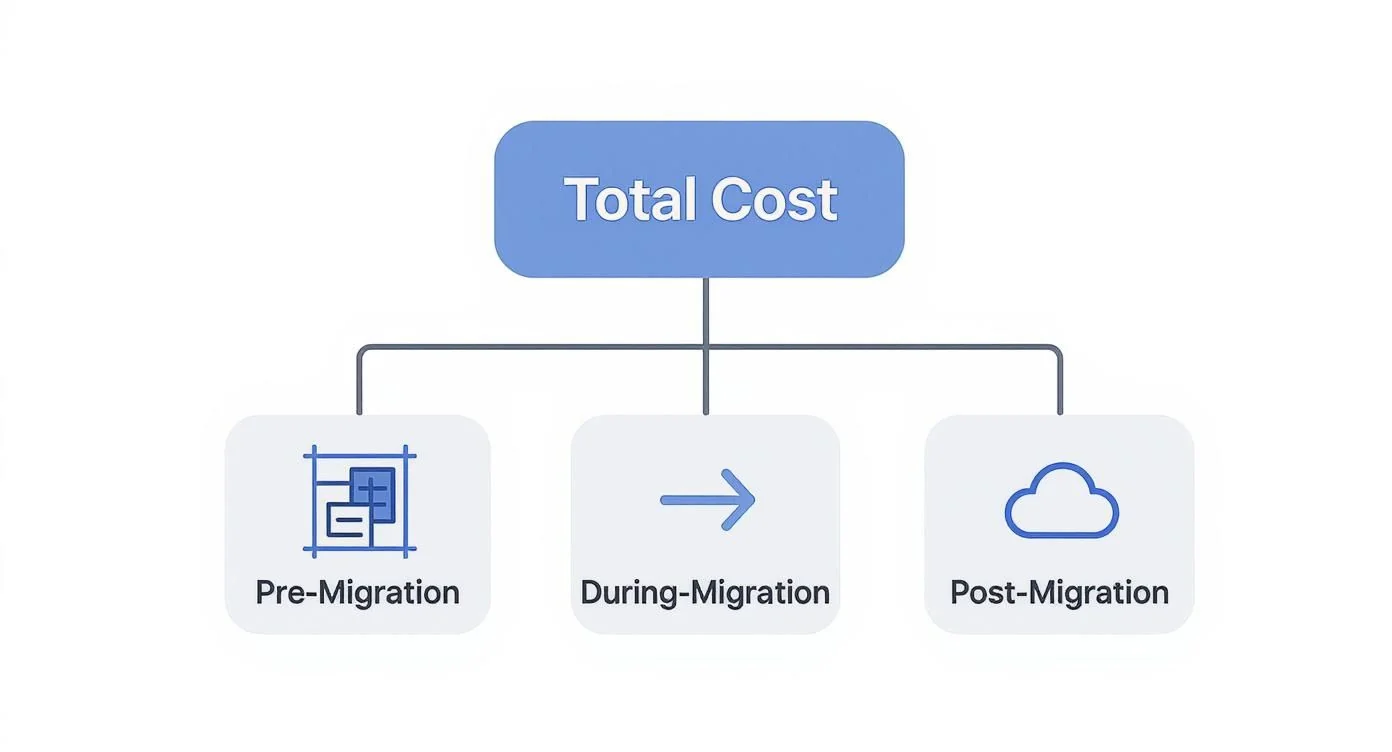
As the diagram indicates, the post-migration phase—which the calculator primarily forecasts—is just one component of the complete financial puzzle.
To generate a reliable forecast, you must provide the calculator with a detailed inventory and real performance metrics:
- Server Inventory: A complete list of your current servers, including CPU count, architecture (e.g., x86, ARM), RAM, and attached storage.
- Performance Data: Average and peak CPU utilization, memory usage, and disk I/O metrics are essential for proper right-sizing.
- Data Transfer Volumes: An estimate of the monthly data volume moving in and out of the cloud. Egress fees (for outbound data) are a notorious hidden cost.
- Storage Requirements: Specifics on the total amount of block and object storage needed, along with performance tiers (e.g., standard vs. high-performance SSD).
Providing only server specifications without actual usage data is the financial equivalent of buying a tour bus for a family of four. It works, but you will pay a massive premium for unused capacity.
Choosing the Right Pricing Model
The final and often most impactful factor is the pricing model you select. Cloud providers offer several options that can dramatically alter your monthly bill. A good calculator allows you to model costs across these plans to see the real-world financial impact of each.
Common Cloud Pricing Models
| Model | Best For | Typical Savings |
|---|---|---|
| On-Demand | Unpredictable workloads, short-term projects, or initial testing. | 0% (Baseline cost) |
| Reserved Instances (RIs) | Stable, predictable workloads with a 1- or 3-year commitment. | Up to 72% |
| Savings Plans | Consistent usage across various instance types with a 1- or 3-year spend commitment. | Up to 72% |
| Spot Instances | Fault-tolerant, non-critical workloads that can be interrupted. | Up to 90% |
For instance, selecting a Reserved Instance or Savings Plan for a production database that runs 24/7 can reduce its cost by more than half compared to the standard On-Demand price.
By inputting accurate performance data and modeling different pricing plans, a cloud migration cost calculator evolves from a simple estimator into a powerful financial strategy tool. It reveals not just what you might spend, but what you should spend.
A Practical Cloud Migration Cost Calculation Example
To demonstrate how a cloud migration cost calculator functions, let’s walk through a common, real-world scenario. This example will show how key inputs transform into a solid financial forecast.
Consider a mid-sized e-commerce company, “InnovateRetail,” planning to move its three-tier web application from an on-premise data center to Amazon Web Services (AWS). Their objectives are to improve scalability during peak shopping seasons and eliminate hardware maintenance overhead.
Here is a simplified overview of their current setup, which will serve as the basis for our cost calculation.

This diagram shows how different application components can be mapped to specific cloud services—a core function of any effective calculator.
Step 1: Inventory and Resource Mapping
First, InnovateRetail must inventory its current hardware and identify the cloud equivalents. For their initial “lift-and-shift” approach, they seek direct, one-to-one replacements.
Their on-premise setup includes:
- Web Tier: Two load-balanced web servers, each with 8 vCPUs and 32 GB RAM.
- Application Tier: Two application servers, each with 16 vCPUs and 64 GB RAM.
- Database Tier: One primary database server with 16 vCPUs, 128 GB RAM, and high-performance local SSD storage.
Using the AWS Pricing Calculator, they map these specifications to specific EC2 instance types and the Relational Database Service (RDS).
Step 2: Applying Utilization and Assumptions
Next, the IT team analyzes performance data instead of just migrating specs. They discover that their web servers average only 30% CPU utilization, while the application servers operate around 50%. The database, however, frequently spikes to 85% utilization during major sales events.
This data enables them to right-size their cloud environment from the start.
A calculator’s output is only as good as the data you feed it. Moving from raw specifications to actual utilization metrics is the single most effective way to prevent massive overspending on cloud resources.
With this insight, they adjust their plan:
- Web Tier: They select smaller EC2 instances and will use Auto Scaling to add more servers automatically during traffic surges.
- Application Tier: They choose instances with less CPU and RAM than their on-premise servers, knowing the full capacity is unused.
- Database Tier: They opt for a memory-optimized RDS instance capable of handling performance spikes.
Additionally, they factor in other costs, estimating 2 TB of data egress to the internet per month and a need for 5 TB of general-purpose SSD storage.
Step 3: Selecting a Pricing Model
InnovateRetail then uses the calculator to evaluate different pricing options. Since their application and database servers run 24/7, they are ideal candidates for significant cost savings.
- For the application and database servers: They model a 3-year All Upfront Reserved Instance, securing a discount of over 60% compared to the On-Demand price.
- For the web servers: They remain with the On-Demand model to maintain flexibility for scaling with traffic, paying for extra capacity only when needed.
The calculator provides a detailed, itemized breakdown, with separate lines for EC2 compute, RDS database, EBS storage, and projected data transfer fees. This level of granularity is essential for building a budget that will be approved by financial leadership.
Step 4: Sensitivity Analysis and Iteration
Finally, InnovateRetail runs a “what-if” scenario: What if data egress doubles to 4 TB per month? They input the new figure into the calculator and instantly see the impact on their total monthly bill. This quick analysis confirms that data transfer is a critical cost to monitor.
This exercise demonstrates that a cloud migration cost calculator is an iterative tool. The initial estimate serves as a starting point. By inputting real data and modeling different scenarios, InnovateRetail transforms a rough guess into a strategic financial plan.
This iterative budgeting is essential, as project costs vary significantly. A small company might spend around $40,000, while a large enterprise could easily exceed $600,000. To explore these ranges, you can find detailed breakdowns of cloud migration expenses on appinventiv.com. This example shows how a calculator helps a business like InnovateRetail determine its position on that spectrum.
Validating and Refining Your Cloud Budget
A cloud migration cost calculator provides a solid financial baseline, but its output is a well-informed hypothesis, not a guarantee. Treating the initial estimate as final is a common mistake. To transform a forecast into a robust, defensible budget, you must validate its assumptions against real-world conditions.
This validation process is where your theoretical plan meets operational reality. The objective is to identify hidden complexities, confirm performance, and find optimization opportunities before committing to the full migration.
Run a Small-Scale Proof of Concept
The most effective way to validate cost assumptions is to run a small, isolated proof-of-concept (POC). By migrating a single, non-critical application, you can measure its actual resource consumption, data transfer patterns, and performance in a live cloud environment.
A POC provides invaluable real-world data that a calculator can only estimate. For example, a POC might reveal that your application is far more read-intensive than anticipated, pointing you toward a more cost-effective storage tier. This hands-on testing replaces guesswork with hard data.
Engage with Expert Architects and Consultants
After running the numbers, seek an external review from an expert. Cloud providers and third-party consulting firms have architects with extensive experience in migration planning. They can identify risks and cost-saving opportunities that are easy to miss.
These experts can help you:
- Identify Overlooked Costs: They are adept at flagging expenses that standard calculators omit, such as third-party software licensing, specific compliance requirements, or complex data egress scenarios.
- Recommend Architectural Refinements: An architect might suggest replacing a constantly running virtual machine with a serverless function for a specific task, significantly reducing its operating cost.
- Validate Pricing Model Choices: They can analyze your workload patterns and confirm whether your proposed mix of On-Demand, Reserved Instances, and Savings Plans is the most financially sound option.
An expert review is like a peer review for your financial plan. It challenges your assumptions, validates your conclusions, and strengthens the overall budget, making it far more likely to get the green light from leadership.
Build a Comprehensive Financial Model
The scale of cloud adoption underscores the importance of this financial planning. With the global public cloud services market projected to hit around $723.4 billion in 2025, the financial stakes are high. To build a budget that reflects this reality, you need to go beyond the calculator. Create a complete financial model that accounts for all costs—pre-migration, execution, and ongoing operations—benchmarked against your current Total Cost of Ownership (TCO).
This refined budget should be a living document. As your POC delivers new data and expert consultations provide fresh insights, your financial model must evolve. This iterative approach transforms a calculator estimate into a dynamic, reliable financial plan, preparing you for executive approval and setting the stage for long-term financial health in the cloud. Once migrated, explore cloud cost optimization strategies to maintain budget discipline.
Answering Your Top Questions About Cloud Cost Calculators
Even with a detailed plan, questions will arise when using a cloud migration cost calculator. Here are answers to common queries about accuracy, pitfalls, and the effective use of these tools in your budgeting process.
How Accurate Are These Calculators, Really?
The calculators from major providers like AWS, Azure, and Google are accurate for what they are designed to do: estimate the cost of their services. If your inputs are accurate, their estimates for direct cloud spend will be highly reliable.
However, they only show one piece of the financial puzzle. They do not account for the other essential costs of a real-world migration. Treat their output as the foundation of your budget, not the final number.
You must manually add costs that these calculators miss:
- Labor: The cost of your internal team or consultants for the migration work.
- New software licenses: Any cloud-compatible licenses that must be purchased.
- Team training: The investment required to upskill your staff for the new environment.
- Potential downtime: The business impact of any service interruptions during the transition.
What’s the Single Biggest Mistake People Make?
The most common and costly mistake is a classic “garbage in, garbage out” problem. Teams frequently input the specifications of their on-premise servers directly into the calculator without considering actual utilization.
An on-premise server with 32 CPU cores that consistently runs at 10% capacity does not require a 32-core cloud instance. Migrating it “as-is” means you will pay a significant premium for unused resources. This is a primary cause of budget overruns.
Analyze your current usage data before using the calculator. Failing to right-size resources upfront is the number one reason cloud cost estimates become wildly inflated.
Treat your on-premise server specs as a starting point, not a destination. The real financial wins come from analyzing performance data to provision a cloud environment that meets your actual needs, not your hardware’s theoretical capacity.
Should I Budget for More Than the Calculator’s Final Estimate?
Yes. Adding a contingency fund of 15-25% on top of the calculator’s estimate is a professional best practice. This is not a sign of poor planning but of experience. Every major IT project encounters unforeseen challenges, and this buffer acts as a financial shock absorber.
This contingency covers inevitable surprises, such as:
- Scope Creep: An application proves more complex to migrate than initially thought.
- Performance Issues: A key workload requires a more powerful and expensive instance to run effectively.
- Unexpected Data Fees: You transfer more data than originally projected.
The contingency fund ensures your project can continue moving forward when the unexpected occurs, providing the flexibility needed to succeed.
Can a Calculator Help Me Choose Between Cloud Providers?
Yes, calculators are an excellent starting point for comparing providers. Running the same workload scenario through each provider’s native calculator provides a direct, apples-to-apples cost comparison for your core infrastructure.
However, do not let cost be the sole deciding factor. The cheapest option is not always the best. Evaluate the entire picture: each platform’s unique services, their management tools, and their alignment with your team’s existing skills.
Use the calculator to establish a financial baseline, then make your final decision based on the total business value each provider offers.
Navigating the complexities of cloud migration requires more than just a calculator—it demands the right expertise. At CloudConsultingFirms.com, we provide data-driven comparisons of top consulting partners to help you find the perfect fit for your project, budget, and goals. Explore our independent reviews and find a certified expert to guide your journey.
Frequently Asked Questions
How do you answer critical business questions?
A calculator does more than generate a single number; it answers fundamental questions that shape your migration project. It establishes a budget baseline and helps align technical decisions with financial objectives from the outset.
What is from technical inventory to financial forecast?
A cloud migration cost calculator translates on-premise hardware specifications—CPU cores, RAM, terabytes of storage—into the language of cloud services, such as EC2 instances, S3 buckets, or VPCs. This translation is essential for an accurate comparison between current and future IT spending.
What is the pre-migration phase?
Before moving a single file, you must invest in planning and assessment to lay the groundwork for a smooth, cost-effective transition. Rushing this stage almost guarantees expensive fixes later.
What is the during-migration phase?
This is the execution phase where the technical heavy lifting occurs. The costs here are direct, often one-time expenses tied to the actual transfer of IT assets to the cloud.
What is the post-migration phase?
Once the migration is complete, a new set of recurring operational costs begins. This includes your monthly cloud bill and other ongoing expenses that are essential for a complete financial picture.
Peter Korpak
Founder
Data-driven market researcher with 15+ years helping software agencies and IT organizations make evidence-based decisions. Former market research analyst at Aviva Investors and Credit Suisse. Analyzed 200+ verified cloud projects (migrations, implementations, optimizations) to build Cloud Intel.
Connect on LinkedInContinue Reading
Cloud Migration
Cloud migration consulting firms evaluated on documented outcomes and pricing transparency
AWS vs Azure vs GCP: A Strategic Comparison
Explore our strategic comparison of AWS vs Azure vs GCP. This guide provides actionable insights for choosing the right cloud platform for your business needs.
The 12 Best Multi Cloud Management Platforms for 2026 and Beyond
Discover the best multi cloud management platforms for 2026. Get an actionable, no-fluff comparison of features, pricing, and use cases.
Stay ahead of cloud consulting
Quarterly rankings, pricing benchmarks, and new research — delivered to your inbox.
No spam. Unsubscribe anytime.