10 Actionable Cloud Cost Optimization Strategies
Cloud adoption has matured from agility and scalability to a sharp focus on financial governance and ROI. For many, the monthly cloud bill is a complex puzzle of sprawling services and unpredictable charges. Generic advice is no longer enough. A deliberate, strategic approach to financial operations (FinOps) is a core business imperative.
This guide provides ten specific, actionable cloud cost optimization strategies that deliver measurable savings. Each section details the implementation steps for AWS, Azure, and GCP — including tactics covered in depth in our AWS cost optimization hub — identifies tools for automation, and clarifies team ownership. You will find practical examples for mid-market and enterprise stakeholders, from CIOs and VPs of Engineering to procurement leaders.
The goal is to equip your organization with a robust framework for sustainable cost management. By implementing these tactics, you can transform your cloud spend from an unpredictable operational expense into a strategic investment that directly supports business growth.
What are Reserved Instances (RIs) and Savings Plans?
Reserved Instances (RIs) and Savings Plans are commitment-based cloud pricing models that offer discounts up to 72% compared to on-demand rates. Organizations commit to specific compute usage over a one- or three-year term, transforming variable expenses into predictable, lower fixed costs.
This approach is ideal for stable, long-term workloads such as core application servers, relational databases, or data warehousing clusters. The predictability of these commitments provides substantial financial benefits and budget stability.
Implementation and Platform Specifics
- AWS: Offers Savings Plans (Compute, EC2 Instance, SageMaker) and Reserved Instances (EC2, RDS, Redshift, etc.). Savings Plans provide more flexibility by applying discounts to instance families within a region, while RIs apply to specific instance types.
- Azure: Provides Azure Reservations for a wide range of services. Similar to AWS RIs, these require upfront commitment for significant savings. Azure Savings Plans for compute offer flexibility akin to AWS Savings Plans.
- GCP: Uses Committed Use Discounts (CUDs). Spend-based CUDs offer flexibility across instance families and regions, while resource-based CUDs provide higher discounts for specific machine types in a designated zone.
Actionable Steps for Implementation
- Analyze Usage: Use native tools like AWS Cost Explorer, Azure Advisor, or Google Cloud’s CUD recommender to analyze at least 30-60 days of historical usage data and identify steady-state workloads.
- Model a Purchase Plan: Start with a conservative, one-year commitment covering 50-70% of your absolute baseline usage. This hybrid model allows you to capture savings while retaining on-demand flexibility for spiky workloads.
- Automate and Manage: Leverage tools like ProsperOps or Zesty to automate the management of your commitment portfolio. These platforms can dynamically adjust commitments by buying and selling RIs on the marketplace to maximize utilization and savings.
Key Insight: Don’t treat RIs as a “set it and forget it” purchase. For AWS, Convertible RIs allow you to change instance families, operating systems, or tenancies. Regularly review and exchange them as your application needs evolve to avoid waste.
- Ownership: The FinOps Team or Cloud Center of Excellence (CCoE) should own the analysis and purchasing strategy, working in close collaboration with Engineering Leads to understand future infrastructure roadmaps.
How does right-sizing instances reduce cloud costs?
Right-sizing instances reduces cloud costs by matching instance types and sizes directly to actual workload performance needs. By analyzing utilization metrics to downsize over-provisioned CPU, memory, or storage, organizations eliminate waste and only pay for necessary resources, often saving 30-50%.
This continuous process is critical because application demands change. An instance size that was appropriate at launch may become excessive after a code optimization or a shift in user traffic. Regularly reviewing and adjusting instance sizes ensures an efficient, cost-effective infrastructure footprint without sacrificing performance.

Implementation and Platform Specifics
- AWS: Leverage AWS Compute Optimizer, which uses machine learning to analyze CloudWatch metrics and recommend optimal EC2 instance types and sizes. It also provides recommendations for Auto Scaling groups, EBS volumes, and Lambda functions.
- Azure: Use Azure Advisor recommendations to identify underutilized virtual machines. Advisor analyzes your resource consumption to suggest downsizing or shutting down idle instances.
- GCP: Utilize the Active Assist Recommender for idle VM recommendations and right-sizing recommendations. It provides insights based on CPU and memory utilization metrics gathered from the Cloud Monitoring service.
Actionable Steps for Implementation
- Establish a Baseline: Analyze at least 14-30 days of performance data from native monitoring tools (e.g., CloudWatch, Azure Monitor). Focus on average and maximum CPU and memory utilization, looking for instances consistently below a 40% usage threshold.
- Prioritize and Test: Target low-risk environments like development and staging first. Implement a recommended change on a single instance, monitor its performance closely for any negative impact, and then apply the change across similar workloads.
- Automate Analysis: Integrate automated right-sizing tools like Densify or CloudHealth into your workflow. These platforms provide continuous analysis and can even automate the execution of sizing changes based on predefined policies.
Key Insight: Right-sizing isn’t just about downsizing. It also involves identifying memory-intensive workloads running on CPU-optimized instances (or vice versa) and switching to the correct instance family. This “right-family” change can improve performance and reduce costs simultaneously.
- Ownership: The Cloud Operations Team or Platform Engineering Team should own the technical implementation of right-sizing, while the FinOps Team is responsible for identifying opportunities and tracking the resulting savings. This requires close collaboration with Application Owners to ensure performance is not impacted.
What is demand-based auto-scaling?
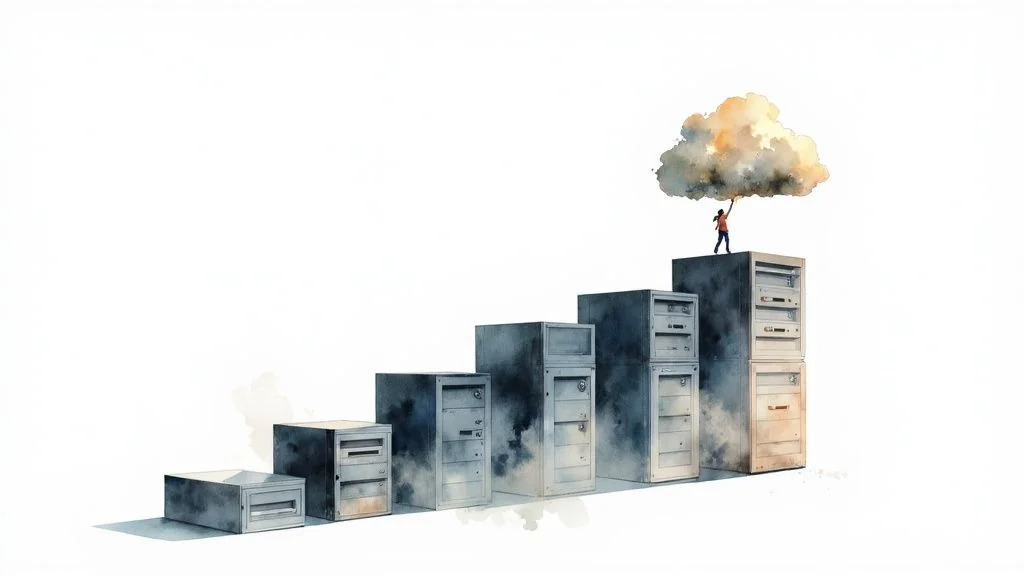
Demand-based auto-scaling is the process of automatically adjusting the number of active compute instances to match real-time application traffic. It scales up during demand spikes for performance, and scales down during quiet periods to instantly eliminate costs from idle capacity.
This dynamic approach transforms fixed infrastructure costs into a variable expense that accurately mirrors usage. This strategy is essential for applications with variable traffic patterns, such as e-commerce sites, streaming services, or SaaS platforms. By provisioning only what is necessary at any given moment, organizations can prevent over-provisioning and achieve cost savings of 30-50% on elastic workloads.
Implementation and Platform Specifics
- AWS: Provides AWS Auto Scaling, which allows you to configure scaling policies for services like EC2 (via Auto Scaling Groups), ECS, and DynamoDB. It supports target tracking, step scaling, and scheduled scaling policies.
- Azure: Offers Azure VM Scale Sets, which let you create and manage a group of load-balanced VMs. You can configure rules to automatically increase or decrease the instance count based on metrics or a defined schedule.
- GCP: Uses Managed Instance Groups (MIGs) to provide auto-scaling capabilities for Compute Engine. It can scale based on CPU utilization, load balancing capacity, Cloud Monitoring metrics, or schedules.
Actionable Steps for Implementation
- Identify Elastic Workloads: Analyze your applications to identify components with fluctuating demand, such as web servers, API endpoints, or containerized microservices.
- Define Scaling Triggers: Configure scaling policies based on relevant performance metrics. Common triggers include CPU utilization (e.g., scale up at 70% CPU), network I/O, or request count per target in a load balancer. For predictable patterns, use scheduled scaling.
- Set Cooldown Periods and Health Checks: Implement health checks to ensure the load balancer only sends traffic to healthy instances. Set appropriate cooldown periods after a scaling event to prevent premature scaling actions.
- Test and Iterate: Test your auto-scaling configuration in a non-production environment under simulated load. Monitor its real-world performance and fine-tune scaling policies to optimize both cost and performance.
Key Insight: Combine auto-scaling with a mix of pricing models. Use Reserved Instances or Savings Plans for the predictable baseline of your workload (e.g., the minimum number of instances always running) and let on-demand instances, managed by auto-scaling, handle the unpredictable peaks.
- Ownership: The DevOps or Platform Engineering Team should own the implementation and tuning of auto-scaling policies, while the FinOps Team should monitor the cost impact and efficiency of these policies.
When should you use Spot Instances and Preemptible VMs?
Spot Instances and Preemptible VMs should be used for fault-tolerant, stateless, or flexible workloads like batch processing, CI/CD pipelines, and machine learning. They utilize unused cloud provider capacity, offering up to 90% discounts off on-demand prices in exchange for occasional interruptions.
The trade-off is that the cloud provider can reclaim this capacity with minimal notice (typically two minutes). By architecting applications to handle interruptions gracefully, organizations can dramatically lower compute expenses for a significant portion of their infrastructure.

Implementation and Platform Specifics
- AWS: Amazon EC2 Spot Instances can be requested directly or through services like Spot Fleet and EC2 Fleet, which automate provisioning across different instance types and Availability Zones to improve resilience.
- Azure: Offers Azure Spot Virtual Machines. You can set a maximum price and deploy them within Virtual Machine Scale Sets to manage a group of interruptible VMs.
- GCP: Provides Preemptible VM instances, which have a fixed price and last for a maximum of 24 hours. Spot VMs are a newer offering with no maximum lifetime but variable pricing.
Actionable Steps for Implementation
- Identify Suitable Workloads: Analyze your applications to find fault-tolerant, stateless, and non-time-sensitive processes. CI/CD agents, image rendering farms, and scientific computing are excellent candidates.
- Architect for Interruption: Implement checkpointing in your applications. This allows a job to save its state and resume from where it left off if an instance is terminated, preventing lost work.
- Diversify and Automate: Use provider services like AWS Spot Fleet or native features in container orchestrators like Kubernetes to request capacity across multiple instance types, sizes, and availability zones. This diversification significantly reduces the likelihood of a complete interruption.
Key Insight: Don’t rely on a single Spot pool. The best practice is to build a fleet with a diversified mix of instance types. This makes your application more resilient to price fluctuations and capacity reclamation in any single pool, ensuring higher availability for your interruptible workloads.
- Ownership: The DevOps or Platform Engineering Team is responsible for architecting applications to be fault-tolerant and implementing the automation for Spot usage. The FinOps Team should monitor the savings and provide guidance on balancing Spot with other pricing models.
How can you optimize data transfer and egress costs?
You can optimize data transfer and egress costs by keeping traffic within your cloud provider’s internal network using VPC endpoints, implementing Content Delivery Networks (CDNs) for static assets, and structuring workloads to avoid cross-region or public internet data transit.
By strategically managing how data moves, organizations can slash significant, recurring network charges. This approach is critical for any application with a geographically distributed user base or high data output, turning a variable and expensive operational cost into a manageable one.
Implementation and Platform Specifics
- AWS: Leverage Amazon CloudFront (CDN) to cache content closer to users. Use AWS PrivateLink or Gateway VPC Endpoints to access AWS services from your VPC without data traversing the public internet, which eliminates NAT Gateway processing and data transfer fees.
- Azure: Azure CDN works similarly to CloudFront, caching content at globally distributed points of presence. Azure Private Link provides private connectivity to Azure services, keeping traffic on the Microsoft backbone network.
- GCP: Cloud CDN integrates with Cloud Load Balancing to deliver content efficiently. Private Google Access allows VMs without external IP addresses to reach Google APIs and services, while VPC Service Controls can help enforce data locality and prevent costly external transfers.
Actionable Steps for Implementation
- Analyze Network Traffic: Use tools like AWS Cost and Usage Report (CUR) with a focus on “DataTransfer-Out-Bytes,” Azure Cost Management, or GCP’s detailed billing export to identify the top services and regions contributing to egress costs.
- Implement a CDN: For all public-facing web assets (images, videos, scripts), configure a CDN like CloudFront, Azure CDN, or a third-party service like Cloudflare. Start by caching static content with a long time-to-live (TTL).
- Optimize Internal Traffic: Review your architecture for cross-region or cross-availability zone traffic. Where possible, co-locate resources (e.g., EC2 instances and their S3 buckets) within the same region and use VPC endpoints to avoid public network charges.
Key Insight: Not all egress is equal. Data transfer between Availability Zones is cheaper than between regions, and both are often far cheaper than transfer to the public internet. A simple architectural change, like ensuring a compute instance reads from a database replica in the same AZ, can yield immediate savings.
- Ownership: The Cloud Platform or Network Engineering Team should lead the technical implementation of CDNs and VPC Endpoints, while the FinOps Team is responsible for monitoring egress cost trends and identifying new optimization opportunities based on billing data.
What are cloud storage lifecycle policies?
Cloud storage lifecycle policies are automated rules that transition data to more cost-effective storage tiers as it ages. By automatically moving infrequently accessed data from hot storage to cold or archival tiers, organizations can reduce storage costs by over 80%.
This strategy is crucial for managing ever-growing datasets like application logs, backups, user-generated content, and analytical data. Automating this data journey prevents unnecessary expenditure on data that is rarely needed.
Implementation and Platform Specifics
- AWS: Amazon S3 offers a range of storage classes (Standard, Standard-IA, Glacier Instant Retrieval, Glacier Flexible Retrieval, Glacier Deep Archive). S3 Lifecycle policies automate the transition of objects between these classes, and S3 Intelligent-Tiering automatically moves data based on changing access patterns for a small monitoring fee.
- Azure: Azure Blob Storage provides access tiers like Hot, Cool, Cold, and Archive. Lifecycle management policies can be configured in the Azure portal to transition blobs to cooler tiers or delete them based on age or last modified date.
- GCP: Google Cloud Storage offers Standard, Nearline, Coldline, and Archive classes. Object Lifecycle Management rules can be set on a bucket to automatically transition objects to cheaper storage or delete them based on defined conditions like age or object state.
Actionable Steps for Implementation
- Analyze Access Patterns: Use tools like Amazon S3 Storage Lens, Azure Storage Analytics, or GCP’s storage insights to understand how different datasets are accessed over time. This analysis is the foundation for creating effective tiering rules.
- Define Lifecycle Policies: Create rules based on your analysis. A common pattern is to move data to an infrequent access tier (like S3 Standard-IA) after 30-60 days and then to an archive tier (like Glacier) after 90-180 days.
- Automate Deletion: Implement strict policies to automatically delete non-essential data, such as temporary files, old logs, or incomplete multipart uploads, after their useful life expires to eliminate unnecessary costs.
Key Insight: For workloads with unknown or unpredictable access patterns, leverage intelligent tiering services like AWS S3 Intelligent-Tiering or Azure Blob Storage’s automated tiering. These services monitor access and move data for you, simplifying management and optimizing costs without manual analysis.
- Ownership: The Data Governance or Cloud Operations Team should define and implement lifecycle policies, while Application Owners must provide input on data access requirements and retention periods to ensure business continuity.
How does Kubernetes optimization lower infrastructure costs?
Kubernetes optimization lowers infrastructure costs by enabling high-density resource consolidation. By efficiently bin-packing multiple containerized application components onto fewer virtual machines, and implementing dynamic autoscaling, organizations can reduce their infrastructure footprint and lower compute costs by 30-50%.
This approach is ideal for microservices architectures and applications that can be broken down into scalable, independent components. Proper Kubernetes configuration transforms infrastructure management from a static, over-provisioned model to a dynamic, demand-responsive system.
Implementation and Platform Specifics
- AWS: Amazon Elastic Kubernetes Service (EKS) integrates seamlessly with EC2 Spot Instances and Fargate for serverless compute, allowing for significant cost savings on worker nodes. Tools like Karpenter can provision right-sized nodes on-demand.
- Azure: Azure Kubernetes Service (AKS) offers features like Cluster Autoscaler and Virtual Kubelet to burst into Azure Container Instances (ACI). AKS also supports Spot node pools for running interruptible workloads at a deep discount.
- GCP: Google Kubernetes Engine (GKE) is a pioneer in managed Kubernetes, offering advanced features like Autopilot mode, which automates cluster management and node provisioning, billing per pod resource requests for a more granular cost model.
Actionable Steps for Implementation
- Establish Resource Baselines: Use monitoring tools like Prometheus to analyze the actual CPU and memory usage of your pods. Set accurate resource
requestsandlimitsin your Kubernetes manifests to prevent resource contention and waste. - Implement Dynamic Scaling: Deploy the Horizontal Pod Autoscaler (HPA) to scale pods based on metrics like CPU or custom application metrics. Complement this with the Cluster Autoscaler to add or remove nodes from your cluster as pod demand changes.
- Leverage Spot Instances: Configure your clusters to use Spot or Preemptible nodes for stateless, fault-tolerant workloads. Implement Pod Disruption Budgets (PDBs) to ensure application availability during node interruptions, unlocking savings of up to 90% on compute.
Key Insight: Don’t just set resource requests and forget them. Continuously monitor pod utilization and right-size your requests. A pod requesting 1 vCPU but only using 0.1 vCPU is blocking 90% of that allocated resource from being used by other pods, leading to cluster-wide inefficiency and unnecessary node scaling.
- Ownership: The Platform Engineering or DevOps Team should own the cluster configuration and autoscaling strategy. They must work with Application Developers to define appropriate resource requests, limits, and scaling policies for each microservice.
Why migrate to managed database services?
Migrating to fully managed database services eliminates the operational burden of patching, backups, and scaling raw compute infrastructure. By leveraging services optimized for specific use cases like serverless or NoSQL, organizations can align capacity with demand and reduce Database TCO by 40-60%.
This approach is ideal for development teams looking to reduce operational overhead and focus on application logic, extracting significant operational and financial efficiencies.
Implementation and Platform Specifics
- AWS: Offers a broad portfolio including Amazon RDS for relational databases, Amazon Aurora for high-performance MySQL/PostgreSQL compatibility, DynamoDB for key-value NoSQL workloads, and ElastiCache for in-memory caching.
- Azure: Provides Azure SQL Database, Azure Database for MySQL/PostgreSQL/MariaDB, and Azure Cosmos DB as its globally distributed, multi-model database service.
- GCP: Features Cloud SQL for managed MySQL, PostgreSQL, and SQL Server, along with Cloud Spanner for a globally distributed relational database and Bigtable for large-scale NoSQL workloads.
Actionable Steps for Implementation
- Analyze Current Database Workloads: Use monitoring tools to understand your database’s performance, query patterns, and peak/off-peak usage. Identify which databases are over-provisioned or require significant administrative effort.
- Select the Right Managed Service: Match your workload to the service. Use Aurora Serverless for unpredictable traffic, DynamoDB for high-volume access patterns, and standard RDS for stable relational needs. This selection requires a thorough vendor due diligence checklist to ensure the service meets your technical and compliance needs.
- Optimize Before Migrating: Use tools like AWS’s Schema Conversion Tool (SCT) and Database Migration Service (DMS) to facilitate the move. Before migrating, analyze query performance, add missing indexes, and implement connection pooling (e.g., using RDS Proxy).
- Implement Caching: For frequently accessed data, introduce a caching layer like ElastiCache or Redis to reduce expensive database reads and improve application latency.
Key Insight: Don’t just “lift and shift” your database to a managed service. Re-evaluate your architecture. Using read replicas to offload read traffic, implementing a caching layer, and optimizing slow queries are crucial steps to maximize both performance and cost savings post-migration.
- Ownership: The Data Engineering or Platform Engineering Team should lead the technical evaluation and migration, with the FinOps Team analyzing the TCO and projected savings. Application Owners must be involved to validate performance and functionality.
What is the role of cost monitoring and resource tagging?
Cost monitoring and resource tagging provide exact visibility into which teams, projects, or environments are consuming cloud budgets. This foundational FinOps framework turns monolithic cloud bills into detailed data, enforcing accountability, highlighting waste, and empowering data-driven architectural decisions.
This approach allows you to attribute every dollar of cloud spend to a specific cost center. Without it, identifying waste or understanding the cost of a new feature is nearly impossible. A disciplined tagging policy can quickly reveal which teams are responsible for the highest spend.
Implementation and Platform Specifics
- AWS: Utilize Cost Explorer for analysis and leverage AWS Budgets for alerts. Enforce tagging policies using Service Control Policies (SCPs) in AWS Organizations and use AWS Cost Anomaly Detection to automatically identify unusual spending spikes.
- Azure: Use Microsoft Cost Management and Billing to analyze costs, create budgets, and set up alerts. Azure Policy can be used to enforce tagging rules across subscriptions, ensuring all new resources are properly labeled.
- GCP: Leverage Cloud Billing reports and dashboards for cost visibility. Enforce tagging with Organization Policy Service constraints for labels, and set up billing alerts and budgets to monitor spending.
Actionable Steps for Implementation
- Define a Tagging Schema: Create a standardized, mandatory tagging policy. Key tags should include
owner,project,cost-center,environment(e.g., prod, dev), andapplication-id. - Enforce the Policy: Use native policy-as-code tools (SCPs, Azure Policy) to prevent the launch of non-compliant resources. This preventive measure is far more effective than manual cleanup.
- Implement Anomaly Detection: Activate services like AWS Cost Anomaly Detection or set up custom alerts in Azure/GCP to catch misconfigurations or unexpected usage spikes before they become costly.
- Automate Reporting: Set up scheduled, automated reports that are distributed to team leads, project managers, and finance stakeholders. This visibility fosters a culture of cost awareness and accountability. To dive deeper into this foundational practice, learn more about cost monitoring, tagging, and allocation on cloudconsultingfirms.com.
Key Insight: Treat your cloud costs like any other business metric. When teams see their project’s spend alongside performance and feature-delivery metrics, they are naturally incentivized to build more efficient, cost-effective solutions. True FinOps maturity is achieved when cost becomes a non-functional requirement for engineering.
- Ownership: The FinOps Team or CCoE must define and govern the tagging schema and reporting framework. Engineering Teams are responsible for applying tags to their resources and managing their allocated budgets.
How does serverless migration reduce cloud spend?
Serverless migration reduces cloud spend by eliminating the costs associated with idle compute instances. By transitioning to Function-as-a-Service (FaaS) platforms, organizations pay exclusively for the exact milliseconds of execution time their code consumes, removing baseline infrastructure costs.
This model is transformative for event-driven, intermittent, or unpredictable workloads like APIs, data processing pipelines, and scheduled tasks. The inherent auto-scaling capabilities mean you can handle massive traffic spikes without manual intervention or over-provisioning.
Implementation and Platform Specifics
- AWS: AWS Lambda is the market leader, integrating deeply with services like S3, DynamoDB, and API Gateway. Step Functions can be used to orchestrate complex workflows composed of multiple Lambda functions.
- Azure: Azure Functions offers a comparable service with flexible hosting plans (Consumption, Premium, Dedicated) and strong integrations within the Azure ecosystem, particularly with Logic Apps and Event Grid.
- GCP: Google Cloud Functions provides a scalable, event-driven compute service. It connects cloud services, allowing developers to write functions in various languages to respond to events from sources like Cloud Storage or Pub/Sub.
Actionable Steps for Implementation
- Identify Candidate Workloads: Analyze your application portfolio for components that are event-driven, have variable traffic, or run on a schedule. APIs, image processing tasks, and ETL jobs are prime candidates for migration.
- Refactor and Decompose: Break down monolithic applications into smaller, independent microservices, each mapped to a specific function. This architectural shift is a key part of successful serverless adoption. Learn more about effective workload transition by reviewing AWS migration best practices.
- Optimize for Performance and Cost: Minimize function package sizes to reduce cold start times. Implement efficient logging to avoid excessive CloudWatch costs, and use tools like Lambda Powertools to implement best practices for tracing and metrics.
Key Insight: Serverless isn’t just about cost savings; it’s about operational efficiency. Your team is freed from server patching, OS management, and scaling, allowing them to focus entirely on building business logic and delivering features faster.
- Ownership: The Application Development or Platform Engineering Teams should lead the migration effort. They must work with the FinOps Team to model potential cost savings and track the financial impact post-migration.
10-Strategy Cloud Cost Optimization Comparison
| Strategy | Implementation complexity | Resource requirements | Expected outcomes | Ideal use cases | Key advantages |
|---|---|---|---|---|---|
| Reserved Instances (RIs) and Savings Plans | Low–Medium — procurement and planning effort | Long-term commitment, budgeting, capacity planning, billing tools | Significant discounts (up to ~72%), predictable costs for baseline workloads | Stable, steady-state compute (databases, core clusters) | Deep discounts, predictable spend, convertible options |
| Right‑Sizing Instances | Medium — analysis, testing, gradual changes | Monitoring/metrics, performance testing, automation tools | 20–40% typical cost reduction, improved utilization | Over‑provisioned VMs and legacy fleets | Immediate savings with low risk, incremental application |
| Auto‑Scaling & Demand‑Based Allocation | Medium–High — policy tuning and testing | Robust metrics, monitoring, autoscaling configs, stateless app design | 30–60% savings for variable workloads, better availability | Spiky traffic apps, web services, containerized workloads | Elastic capacity, automatic response to demand, improved resilience |
| Spot Instances / Preemptible VMs | Medium — requires fault‑tolerant design | Checkpointing, diversification (fleets), interruption handling tools | Up to ~90% discount for interruptible workloads | Batch jobs, ML training, CI/CD, fault‑tolerant analytics | Extreme cost savings, ability to run larger workloads cheaply |
| Data Transfer & Egress Optimization | Medium–High — network mapping and CDN setup | CDN, caching, VPC endpoints, network design and monitoring | 20–40% reduction in network/egress costs, lower latency | Media delivery, APIs, cross‑region systems | Lower egress charges, improved performance and UX |
| Storage Optimization & Lifecycle Policies | Low–Medium — policy definition and enforcement | Tiered storage support, lifecycle tools, retrieval planning | 50–80% storage cost reduction for infrequently accessed data | Archives, backups, logs, large media repositories | Automated tiering, compliance support, large storage savings |
| Container & Kubernetes Optimization | High — operational and scheduling complexity | Kubernetes expertise, observability, autoscalers, cost tools | 30–50% lower infra cost vs VMs; higher utilization (70–80%) | Microservices, high‑density workloads, multi‑tenant apps | Better utilization, fast scaling, portability across clouds |
| Database Optimization & Managed Services | Medium — migration and tuning effort | Migration planning, DB expertise, managed service configs | 50–70% potential cost/ops reduction, automatic scaling & backups | OLTP/OLAP workloads, unpredictable or multi‑region databases | Eliminates operational overhead, built‑in HA and monitoring |
| Cost Monitoring, Tagging & Allocation | Medium — governance and enforcement | Tagging standards, reporting tools, FinOps processes | 15–25% savings via governance and anomaly detection | Multi‑team enterprises, chargeback and budgeting needs | Visibility, accountability, faster detection of anomalies |
| Serverless & FaaS Migration | Medium–High — redesign to event‑driven patterns | Refactoring, cold‑start tuning, observability and retries | 40–70% savings for bursty/event‑driven workloads, no idle costs | APIs, scheduled tasks, event‑driven microservices | Pay‑per‑use billing, autoscaling to zero, reduced server ops |
Putting Your Optimization Plan into Action
You have explored ten powerful cloud cost optimization strategies, from foundational commitments like Reserved Instances to advanced paradigms like serverless architecture. Successful implementation requires a deliberate and sustained effort. The real transformation occurs when these strategies are woven into your organization’s culture, creating a continuous cycle of measurement, analysis, and refinement.
The common thread connecting all these tactics is the principle of paying only for what you use and need. This is about maximizing the value derived from every dollar invested in the cloud and leveraging it as a strategic asset for innovation and growth.
Synthesizing Your Strategy: From Tactics to Culture
To master cloud cost management, move beyond a reactive approach. Use these strategies as a framework for building a robust FinOps practice.
Here are the pivotal takeaways to guide your implementation:
- Combine Long-Term Commitments with On-Demand Flexibility: The most effective strategies balance the predictable discounts of RIs and Savings Plans with the agility of auto-scaling and spot instances. This hybrid model secures baseline capacity at a low cost while dynamically adjusting to real-time demand.
- Visibility is the Prerequisite for Control: You cannot optimize what you cannot see. Implementing a rigorous cost monitoring, tagging, and allocation strategy (Strategy #9) is the non-negotiable first step. Accurate cost attribution empowers individual teams to own their consumption and make informed, cost-conscious decisions.
- Automation is Your Most Powerful Ally: Manually reviewing every instance for right-sizing or adjusting storage policies is not scalable. Leveraging cloud-native tools like AWS Trusted Advisor or Azure Advisor, along with third-party platforms, automates discovery and remediation, freeing your engineering talent to focus on building value. If you need help selecting the right partner for the job, compare top cloud consulting firms side by side.
- Modern Architectures Unlock New Savings: Shifting from monolithic, always-on applications to event-driven, serverless functions or containerized microservices fundamentally changes your cost structure. These modern approaches align spending directly with user activity, effectively eliminating payment for idle resources.
Your Actionable Path Forward
Progress begins with a single, high-impact step. Build a prioritized roadmap based on your organization’s consumption patterns and technical maturity.
- Start with the “Big Rocks”: Begin by analyzing your largest line items. For most, this will be compute and storage. Focus your initial efforts on right-sizing and implementing storage lifecycle policies for the quickest, most significant wins.
- Establish a Cross-Functional Team: Create a Cloud Center of Excellence or a FinOps team comprising members from Finance, IT Operations, and Engineering. This group will be responsible for setting policies, reviewing spending, and championing a culture of cost accountability. If you lack in-house FinOps expertise, take our short matching quiz to get a shortlist of vetted consultants who specialize in cost optimization.
- Set Measurable Goals and Track Progress: Define clear Key Performance Indicators (KPIs) for your optimization strategies. This could be “reduce compute spend by 15% in Q1” or “increase RI coverage to 70% by year-end”. Regularly report on these metrics to maintain momentum and demonstrate value.
Mastering these cloud cost optimization strategies is an essential business competency. By adopting a systematic, data-driven approach to cloud financial management, you transform your cloud spend from a daunting operational expense into a powerful engine for durable, efficient, and scalable growth.
Finding the right expertise to implement these complex strategies can be the difference between incremental savings and transformative results. CloudConsultingFirms.com provides a data-driven platform to connect you with certified cloud partners specializing in cost optimization for your specific industry and tech stack. Visit CloudConsultingFirms.com to find a vetted expert who can help you build and execute a world-class cloud cost management program.
Peter Korpak
Chief Analyst & Founder
Data-driven market researcher with 10+ years helping software agencies and IT organizations make evidence-based decisions. Former market research analyst at Aviva Investors and Credit Suisse. Analyzed 200+ verified cloud projects (migrations, implementations, optimizations) to build Cloud Intel.
Connect on LinkedInContinue Reading
Stay ahead of cloud consulting
Quarterly rankings, pricing benchmarks, and new research — delivered to your inbox.
No spam. Unsubscribe anytime.